Smile
A gentle smile and a natural blink
For iPhone and Android
Turn old photos into short, gentle videos. Their smile, back in motion.
Three simple steps. No editing skills needed.
Pick any old photo from your phone, or scan a printed one with the camera.
A soft smile, a wave, a hug — choose how the moment should move.
In about 1–2 minutes your short video is ready to keep and share.
Every movement is subtle and respectful, made to feel natural.
A gentle smile and a natural blink
Everyone softly turns to look at you
A warm wave toward the camera
A short laugh shared together
Moving closer in a warm embrace
A slow, gentle camera move. Faces stay calm, the moment breathes.
A quiet way to see a loved one once more.
A surprise for their 80th or 90th.
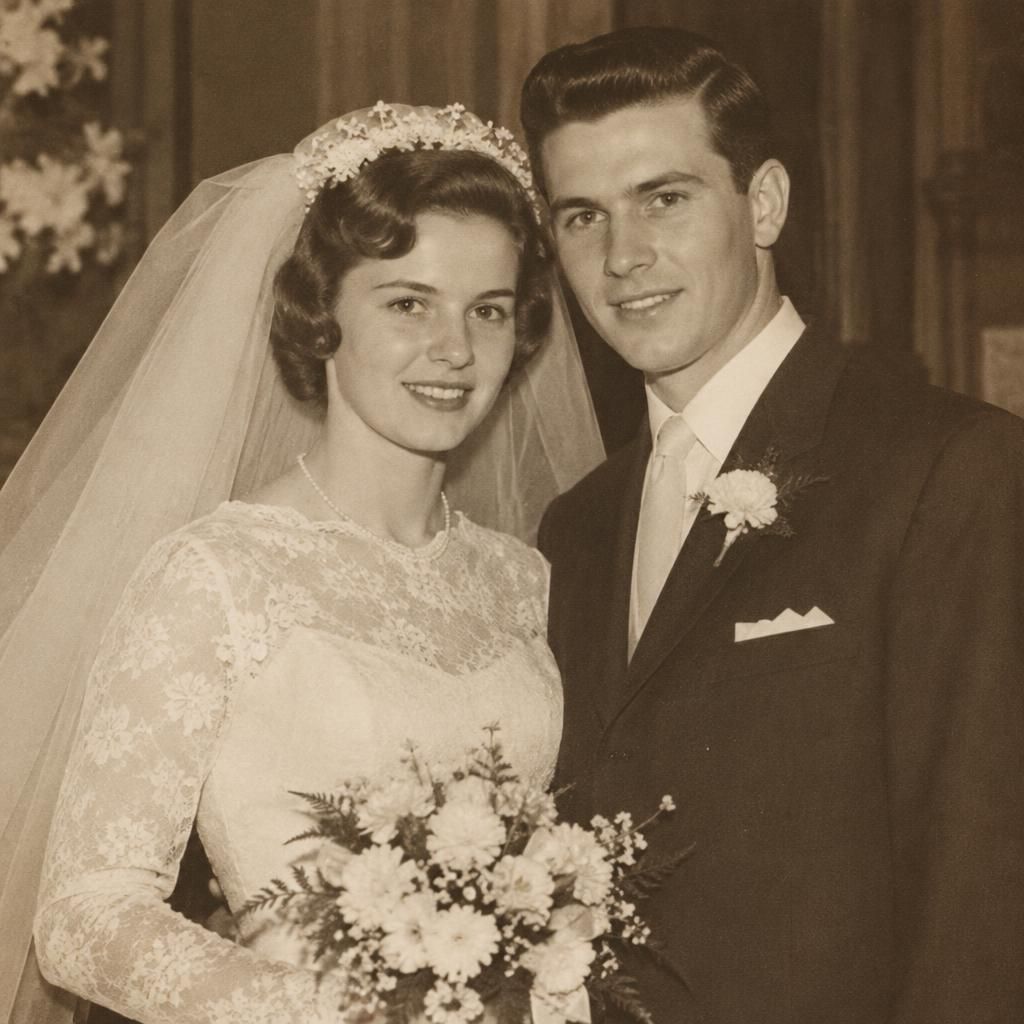
Fifty years, and the wedding day moves again.
Bring parents' and grandparents' wedding photos to the celebration.
Let ancestors from your family tree come alive.
The dog or cat who was part of the family.
Pay only for what you create, inside the app.
1 clip
€2.99
5 clips
€9.99
€2.00 per clip
15 clips
€24.99
€1.67 per clip
Weekly plan
€7.99 / week
4 clips every week. Cancel anytime.
No free trial.Prices in euros. The App Store or Google Play shows the final price for your country.
We are honest about how your photos are handled.
Your photos are used only to create your video. Nothing else.
Files are deleted after 30 days, or whenever you delete them.
The app tells you that every video is created with AI.
AI service providers outside the EU process photos only to create the video.
Yes. Black-and-white and sepia photos work well. The colors of your photo stay as they are.
Usually 1–2 minutes. You can leave the app: the video appears in History when it is ready.
Photos where faces are clearly visible and facing the camera, not too small and not too blurry.
Your photo is used only to create your video. Our AI providers process it for that purpose, and it is deleted after 30 days.
Delete any clip in History and it is removed right away. To delete everything, write to us.
No. If a video can’t be created, the clip is returned to your balance automatically. You can see your balance in the top-right corner.
In your App Store or Google Play account settings, under Subscriptions. Cancel at least 24 hours before the next renewal.